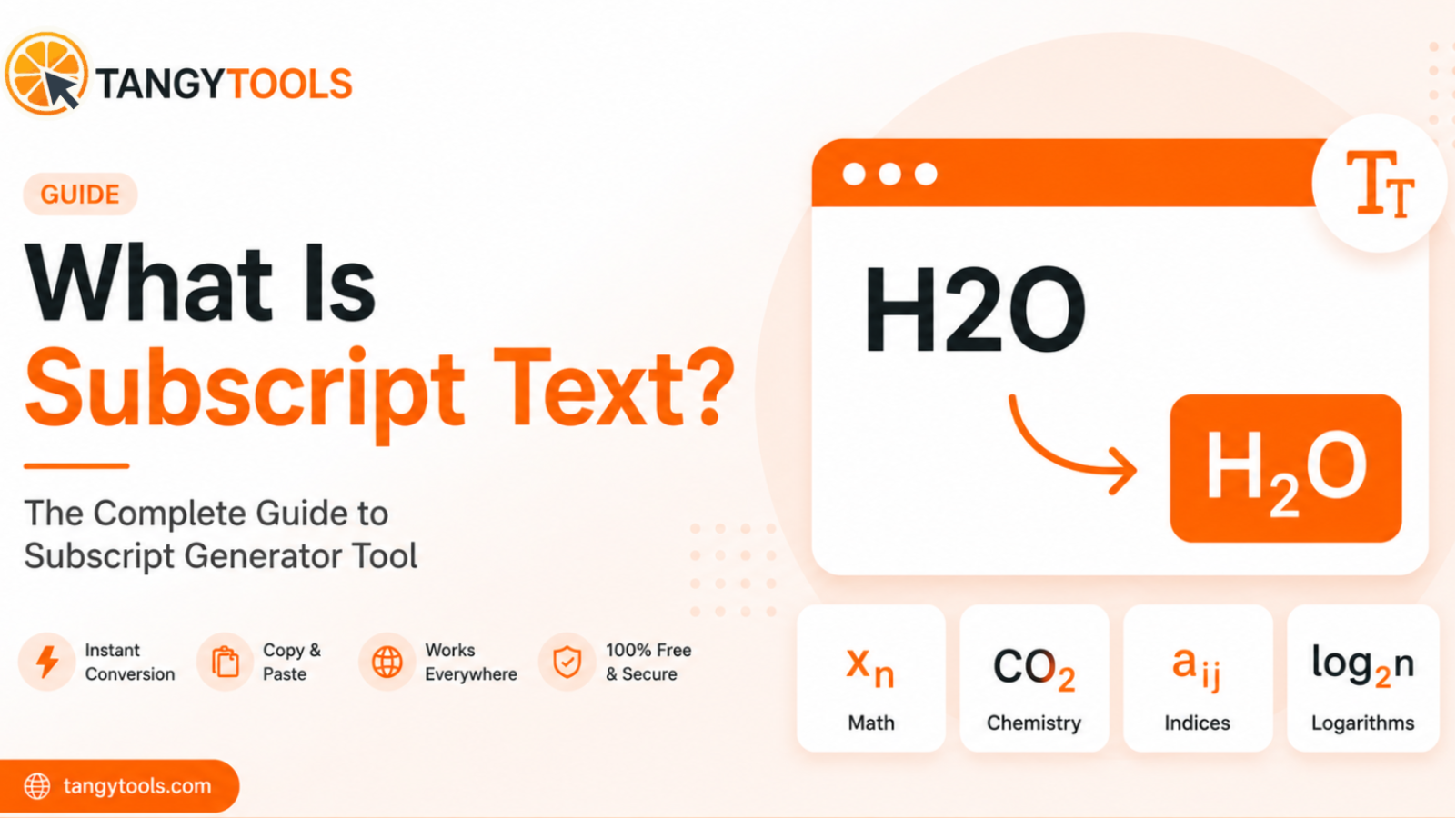
Subscript text appears below the normal text baseline, like the 2 in H₂O or the n in xₙ. You can generate it instantly using a subscript text generator and paste it anywhere: Instagram, Twitter, Word, or WhatsApp. No installation, no account, no hassle.
This guide covers everything: what subscript text is, how generators work, who uses them, where you can paste the output, and what the real-world limits are.
What Is Subscript Text?
Subscript text is characters that sit slightly below the normal line of writing, usually at a smaller size. If you have ever written a chemistry formula or read a math textbook, you have already seen it dozens of times.
The small 2 in H₂O is subscript. So is the 2 in CO₂, the n in xₙ, and the 2 in log₂n. These are all examples of text that drops below the baseline to carry specific meaning. In chemistry, it tells you how many atoms of an element are present in a molecule. In math, it identifies which element in a sequence or matrix you are talking about.
Subscript is often confused with superscript, but they are opposites. Superscript sits above the baseline, like the 2 in x², the ™ symbol, or the small numbers used for footnotes. Subscript goes down. Superscript goes up. That is the simplest way to remember it.
In everyday writing outside of science and math, subscript is less common, which is exactly why it catches the eye on social media. A bio with subscript characters looks different from the thousands of bios written in plain text, and that difference is enough to make people pause.
How Does a Subscript Text Generator Work?
This is where most people are surprised. Subscript text is not formatting. It is actual characters. Each subscript digit or letter is its own Unicode character, completely separate from the regular version of that character.
Unicode is a global standard that assigns a unique code to every character across every writing system. The Latin alphabet, Arabic script, Devanagari, emoji, mathematical symbols, they are all part of Unicode. Within that system, there is a dedicated set of subscript characters: the digits ₀ through ₉, a limited set of lowercase letters like ₐ ₑ ₒ ₓ ₕ ₖ ₗ ₘ ₙ ₚ ₛ ₜ, and a handful of symbols like ₊ ₋ ₌ ₍ ₎.
A subscript text generator, sometimes called a unicode subscript generator, takes whatever you type and maps each character to its Unicode subscript equivalent. The output is a string of actual Unicode characters, not styled text. This is why the result works everywhere plain text works.
What characters are available in subscript Unicode?
| Type | Characters |
|---|---|
| Digits | ₀ ₁ ₂ ₃ ₄ ₅ ₆ ₇ ₈ ₉ |
| Letters | ₐ ₑ ₒ ₓ ₔ ₕ ₖ ₗ ₘ ₙ ₚ ₛ ₜ |
| Symbols | ₊ ₋ ₌ ₍ ₎ |
Because the output is plain Unicode, platforms like Instagram, WhatsApp, and Twitter cannot strip it out. These platforms strip HTML tags and markdown formatting, but they have no mechanism to filter out specific Unicode characters. That is the key insight behind why a subscript generator copy paste workflow actually works in places where rich text formatting does not.
Who Uses Subscript Text?
Subscript text gets used by a much wider range of people than you might expect. Here is a proper breakdown of who uses it and what they actually do with it.
Students and Academics
Students are the heaviest users of subscript generators. The problem they run into constantly is simple: they need to write chemistry formulas or math notation in plain text environments like WhatsApp study groups, Discord servers, Reddit posts, and online forums, and typing H2SO4 looks wrong when everyone knows it should be H₂SO₄.
A subscript generator chemistry tool solves this directly. Type the formula, copy the output, paste it into the chat. It takes five seconds and the formula looks correct. The same applies to math notation. Sequences like a₁, a₂, a₃ or matrix indices like aᵢⱼ can now be written properly in any text field without needing LaTeX or any special software.
Social Media Creators
Content creators on Instagram, TikTok, and Twitter use subscript to style their bios and posts. Plain bios look the same as everyone else’s. A bio that mixes subscript numbers, small caps letters, or other Unicode characters stands out visually without being loud or over-designed.
The effect is subtle but effective. On a platform where first impressions happen in under two seconds, a bio that looks visually different from the standard template is worth noticing. Subscript is one tool in that toolkit, particularly useful for adding numbers, scientific notation, or stylised labels to a profile.
Teachers and Educators
Teachers sharing study material in messaging apps face the same problem as students, just from the other direction. A chemistry teacher posting revision notes to a WhatsApp class group, or sharing a formula in a Google Classroom comment, wants H₂O₂ to look like H₂O₂ and not H2O2. A subscript generator lets them write formulas correctly in any environment without switching to Word, creating a document, and sharing a file.
This is especially useful for quick explanations, the kind that happen in a message thread at 9pm before an exam, when there is no time to open a proper editor.
Writers and Bloggers
Science writers, nutrition bloggers, and technical content creators run into subscript needs regularly. Writing about chemical compounds, water quality, atmospheric CO₂, or molecular biology all require subscript notation. In a CMS that supports HTML, you can use <sub> tags. But in plain text fields like social media captions, email newsletters, and community forums, HTML does not work. Unicode subscript does.
Developers and Technical Writers
Developers writing README files, Stack Overflow answers, or Notion documentation frequently need mathematical notation. Log bases like log₂ and log₁₀, array subscripts like xₙ, and indexed variables appear constantly in algorithm explanations and technical writing. Unicode subscript works in plain Markdown, which means it renders correctly on GitHub, in Notion, and on most developer platforms without any special syntax.
Where Can You Use Subscript Text?
Because subscript text is plain Unicode, it works in any text field that accepts standard characters. Here is a platform-by-platform breakdown of where it works and any specific things to know about each.
Instagram removes bold, italic, and all HTML formatting from bios and captions. It has no way to strip Unicode characters, because those are just text. So H₂O typed in a subscript generator and pasted into your Instagram bio will appear exactly as H₂O and not as H2O or a broken character. This works in bios, captions, comments, and story text.
Twitter and X
Twitter has a 280-character limit for posts but no restriction on which Unicode characters you can use. Each subscript character counts as one character toward the limit, same as a regular letter. For bios and display names there is no character limit concern and subscript works freely. It is worth noting that Twitter’s own formatting (bold, italic) uses a different mechanism and does not affect Unicode subscript characters.
WhatsApp supports the full Unicode standard, which means subscript characters work perfectly in individual messages, group chats, and status updates. This is particularly useful for students and teachers sharing formulas in class groups, or for anyone who wants to write a chemical compound name correctly in a message.
Google Docs and Microsoft Word
Both apps have built-in subscript formatting. In Google Docs, the subscript shortcut is Ctrl + , (comma) on Windows and Cmd + , on Mac. If you are looking for the subscript shortcut in Word specifically, it is Ctrl + = to toggle subscript on and off. On Chromebook, the subscript shortcut in Google Docs is also Ctrl + , which works the same way.
The subscript Google Docs shortcut and the Word shortcut apply formatting to existing text, meaning the text looks subscript but the underlying characters are regular. This works perfectly within those apps. The limitation is when you copy that text out of the app, since the subscript formatting often does not survive the paste. Unicode subscript characters do survive, because they are actual characters rather than formatting applied on top of regular characters.
If you want to know how to make a subscript in Word using the ribbon instead of the shortcut, go to the Home tab, find the Font group, and click the subscript button (x₂). You can also reach it through Format > Font > Subscript checkbox. For Google Spreadsheet subscript, the process is similar. Go to Format > Text > Subscript from the menu bar. Note that Google Sheets does not have a keyboard shortcut for subscript the way Docs does.
Discord
Discord supports Unicode in usernames, server names, channel descriptions, and messages. Subscript characters work in all of these. For Discord communities focused on math, science, or chemistry, this means members can write formulas and notation correctly without needing a bot or special formatting syntax.
Email Subject Lines
Most email clients render Unicode characters in subject lines. Subscript digits in a subject line are unusual enough to catch attention in an inbox, and they render correctly in Gmail, Outlook, and Apple Mail. This is a niche use case, but it is a real one.
How to Use the Tangy Tools Subscript Generator
The process is straightforward and takes about ten seconds from start to finish.
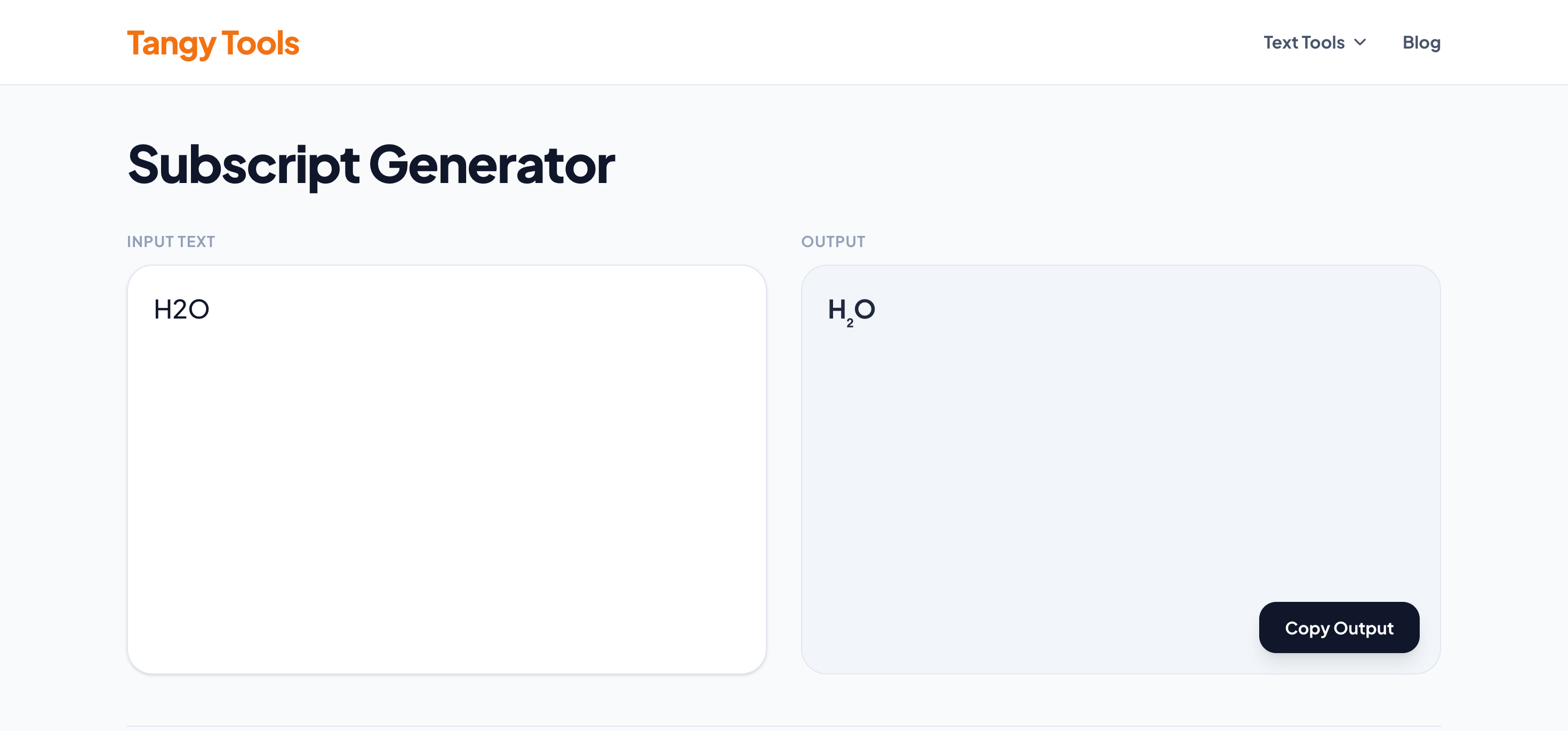
Step 1: Open the Tangy Tools Subscript Generator. The tool loads instantly in your browser with no sign-in required.
Step 2: Type or paste your text into the input box. This can be a single digit like 2, a chemistry formula like H2SO4, a math expression like xn, or an entire sentence. The tool handles all of it.
Step 3: The subscript output appears instantly besides your input. You can see exactly which characters converted to subscript Unicode equivalents and which ones did not have an equivalent available. What you see is exactly what you will get when you paste it.
Step 4: Click the copy button. The subscript text is copied to your clipboard. Paste it anywhere: a WhatsApp message, an Instagram bio, a Google Doc, a Reddit comment, a Discord message.
The tool runs entirely in your browser. No data is sent to any server. Nothing is stored. It is free to use with no account and no limit on how many times you use it.
Subscript Text vs Superscript Text
These two are related but serve different purposes. A superscript and subscript generator handles both, but knowing when to use each matters.
| Subscript | Superscript | |
|---|---|---|
| Position | Below the text baseline | Above the text baseline |
| Used in | Chemistry formulas, math indices | Powers, exponents, footnotes, ™ |
| Example | H₂O, CO₂, xₙ | x², E=mc², reference¹ |
| Social media | Aesthetic bios, scientific notation | Trademark-style symbols, styled names |
The practical rule is simple: subscript is for identifiers and counts (which atom, which term, how many). Superscript is for operations performed on a value (raised to a power, footnote reference attached to a word).
In chemistry, the number in H₂O is subscript because it counts atoms. There are two hydrogen atoms in water. In math, the 2 in x² is superscript because it is an operation, x raised to the power of 2.
Common Subscript Text Use Cases With Examples
Chemistry Formulas
The most widely used application of a subscript generator is writing chemistry formulas correctly in plain text. Here are common compounds you can copy directly:
| Compound | Formula |
|---|---|
| Water | H₂O |
| Carbon dioxide | CO₂ |
| Sulphuric acid | H₂SO₄ |
| Ammonia | NH₃ |
| Glucose | C₆H₁₂O₆ |
| Hydrogen peroxide | H₂O₂ |
| Sodium chloride | NaCl (no subscript needed here) |
| Calcium carbonate | CaCO₃ |
Math Notation
Subscript appears constantly in sequences, series, matrices, and number theory. Here are examples of math notation where subscript is standard:
| Notation | What it means |
|---|---|
| xₙ | The nth term of sequence x |
| aᵢⱼ | Element at row i, column j in a matrix |
| log₂n | Logarithm of n to base 2 |
| a₁, a₂, a₃ | First, second, third terms of a sequence |
Social Media Bios
Subscript works well for adding a typographic quality to social media bios. The digits 0 through 9 convert cleanly, and several common letters do too. Combining subscript numbers with other Unicode styles like small caps gives bios a layered, designed look that stands out from standard plain text.
Limitations of Unicode Subscript Text
A subscript text generator is useful, but there are real limitations worth understanding before you rely on it.
Only some letters have subscript equivalents. Unicode includes subscript versions of all ten digits and a limited set of letters, mainly vowels and a few consonants. If you try to convert a full word to subscript, letters without Unicode equivalents will either be skipped or shown as the regular character. This is not a bug in the generator. It is a limitation of what Unicode defines.
Font support varies. Subscript Unicode characters are well-supported in modern fonts used by major operating systems and apps. In older apps, niche platforms, or environments using custom fonts, you may occasionally see a box or question mark where a subscript character should appear. This is increasingly rare, but worth knowing about.
Accessibility considerations. Screen readers handle Unicode subscript characters differently. A screen reader encountering H₂O will typically read it as “H 2 O” which is semantically correct. But some screen readers may describe unfamiliar Unicode characters in unexpected ways. If accessibility is a priority for your content, use native subscript formatting where it is available rather than Unicode characters.
Copy from PDFs can be inconsistent. Unicode subscript characters in PDFs sometimes survive copy-paste and sometimes do not, depending on how the PDF was created and which app you are copying into. If you are extracting subscript text from a PDF to paste elsewhere, running it through a generator again is often faster.
For most everyday uses like writing formulas in chats, styling social media bios, and adding notation to notes, none of these limitations will matter. They are worth knowing about, but they are edge cases rather than everyday problems.
Frequently Asked Questions
Q1. What is a subscript text generator?
A1. A subscript text generator converts regular characters into Unicode subscript equivalents, which are smaller characters that sit below the normal text line. The output is plain text, so it can be copied and pasted anywhere that accepts regular text input, including social media, messaging apps, and documents.
Q2. Can I use subscript text on Instagram?
A2. Instagram accepts Unicode characters in bios, captions, and comments. Since subscript text from a generator is plain Unicode and not HTML or markdown, Instagram cannot strip it out. The characters display exactly as they appear in the generator output.
Q3. Is subscript text copy-paste safe across platforms?
A3. Yes. Unlike rich text formatting which gets stripped when you paste between apps, Unicode subscript characters are actual characters. They survive copy-paste between different apps, operating systems, and platforms.
Q4. How do I type subscript on a keyboard without a tool?
A4. On Windows, you can use Alt codes for subscript digits. For example, Alt + 8322 produces ₂. This requires a numeric keypad. For subscript letters, there are no standard keyboard shortcuts. On Mac and Chromebook, there are no built-in keyboard shortcuts for Unicode subscript outside of apps like Word or Google Docs. A generator is significantly faster for anything beyond a single character.
Q5. What is the subscript shortcut in Word?
A5. In Microsoft Word, the subscript shortcut is Ctrl + = on Windows. This toggles subscript formatting on and off. Select your text first, then press the shortcut. On Mac, it is Cmd + = in Word. Note that this applies Word’s own subscript formatting and not Unicode subscript, so the text may lose its subscript appearance when pasted outside of Word.
Q6. Does Google Sheets support subscript?
A6. Google Sheets has limited subscript support. You can apply it through Format > Text > Subscript, but there is no keyboard shortcut for it in Sheets the way there is in Google Docs. For formulas and notation that need to appear in subscript inside a spreadsheet cell, Unicode subscript characters from a generator are often more reliable since they are actual characters and not cell formatting.
Q7. What is the difference between a subscript and superscript generator?
A7. A subscript generator converts text to characters that sit below the baseline (H₂O, xₙ). A superscript generator converts text to characters that sit above the baseline (x², ™). Some tools handle both in a single interface and are called superscript and subscript generators. Tangy Tools has separate generators for each, so you can be precise about which one you need.
Conclusion
Subscript text is one of those details that looks small but makes a real difference to how your writing reads, whether you are writing a chemistry formula, a math sequence, a technical document, or an Instagram bio. A subscript text generator makes this accessible to anyone in a few seconds, with no technical knowledge required.
The subscript generator copy paste workflow is the fastest way to get properly formatted subscript text into any app or platform, especially ones where native formatting is limited or unavailable.